INCIDENT RESPONSE Command Line Field Guide
Volume I: Live System Forensics & Triage 10 Essential Commands Every Incident Responder Must Master

How to Use This Guide
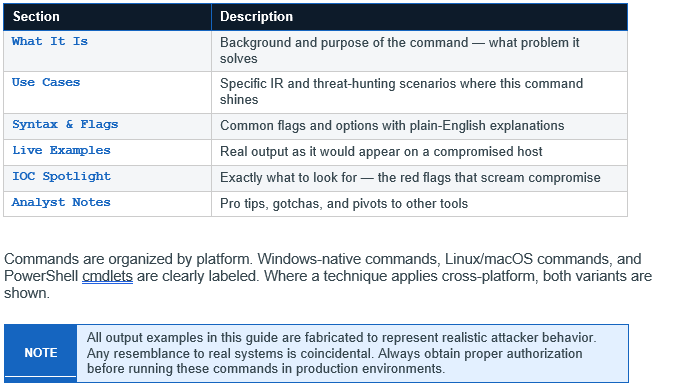
This guide is designed for hands-on use during an active incident or structured triage session. Each section follows a consistent structure so you can find what you need in seconds — not minutes.

WHAT IT IS
tasklist is a built-in Windows command-line utility that enumerates all currently running processes on a local or remote system. It displays the image name, Process ID (PID), session name, session number, and memory usage. Unlike Task Manager, tasklist is scriptable, remotely queryable, and produces output that can be piped, filtered, and logged — making it indispensable for triage.
USE CASES
• Baseline process enumeration — first command on a suspected host
• Identify processes running from unusual paths (e.g., Temp, Downloads, AppData)
• Spot processes masquerading as legitimate Windows processes
• Filter for specific modules loaded by a process (DLL injection detection)
• Query a remote system without needing to RDP or log in
SYNTAX & FLAGS
